Poker tournaments,
made simple.
Oneblind is a desktop poker tournament manager with a live blind timer, player rankings, and real-time Firebase sync — all from your browser, no server required.
Overview
Features
Everything you need to run a poker night — from blind structures to real-time rankings.
Players
Create and manage players, track tournament history and points.
Blind structures
Define custom blind levels, antes, pauses, and durations.
Live timer
Auto-advancing blind timer with eliminations and rebuy support.
Rankings
Standings automatically computed when a tournament ends.
Spotify
Display the currently playing track during your session.
Appearance
Choose accent color, border radius, logo theme, and light/dark mode.
Multilingual
English and French supported throughout the app.
Your Firebase
All data lives in your own Firestore. No shared server, no account needed.
Built with
Tech stack
Oneblind is built on modern, well-maintained open-source tools.
| Package | Version | Role |
|---|---|---|
| Next.js | 16 | React framework & routing |
| React | 19 | UI library |
| TypeScript | 5 | Type safety |
| Tailwind CSS | 4 | Utility-first styling |
| Radix UI Themes | 3 | Component system & theming |
| Firebase Firestore | 11 | Real-time database |
Configuration
Firebase setup
Oneblind stores all its data in Firestore. You need to create your own Firebase project and connect it in the app settings.
Create a Firebase project
Go to console.firebase.google.com and click Add project. Follow the prompts to finish creation.
Enable Firestore
In the left sidebar, go to Database > Firestore, then click Create database.
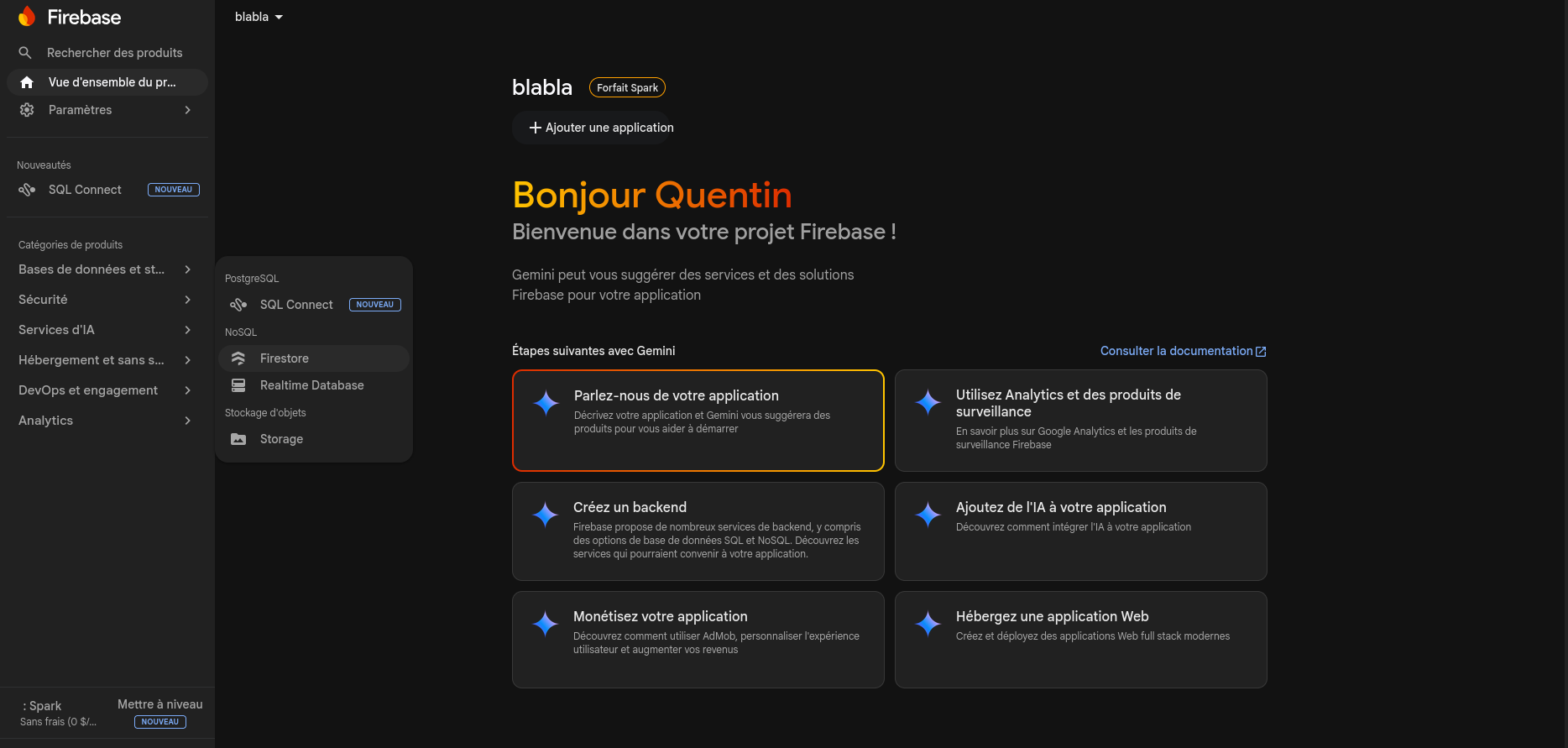
When prompted, choose:
- Edition — Standard
- Server location — region closest to your users
- Security rules — Production mode
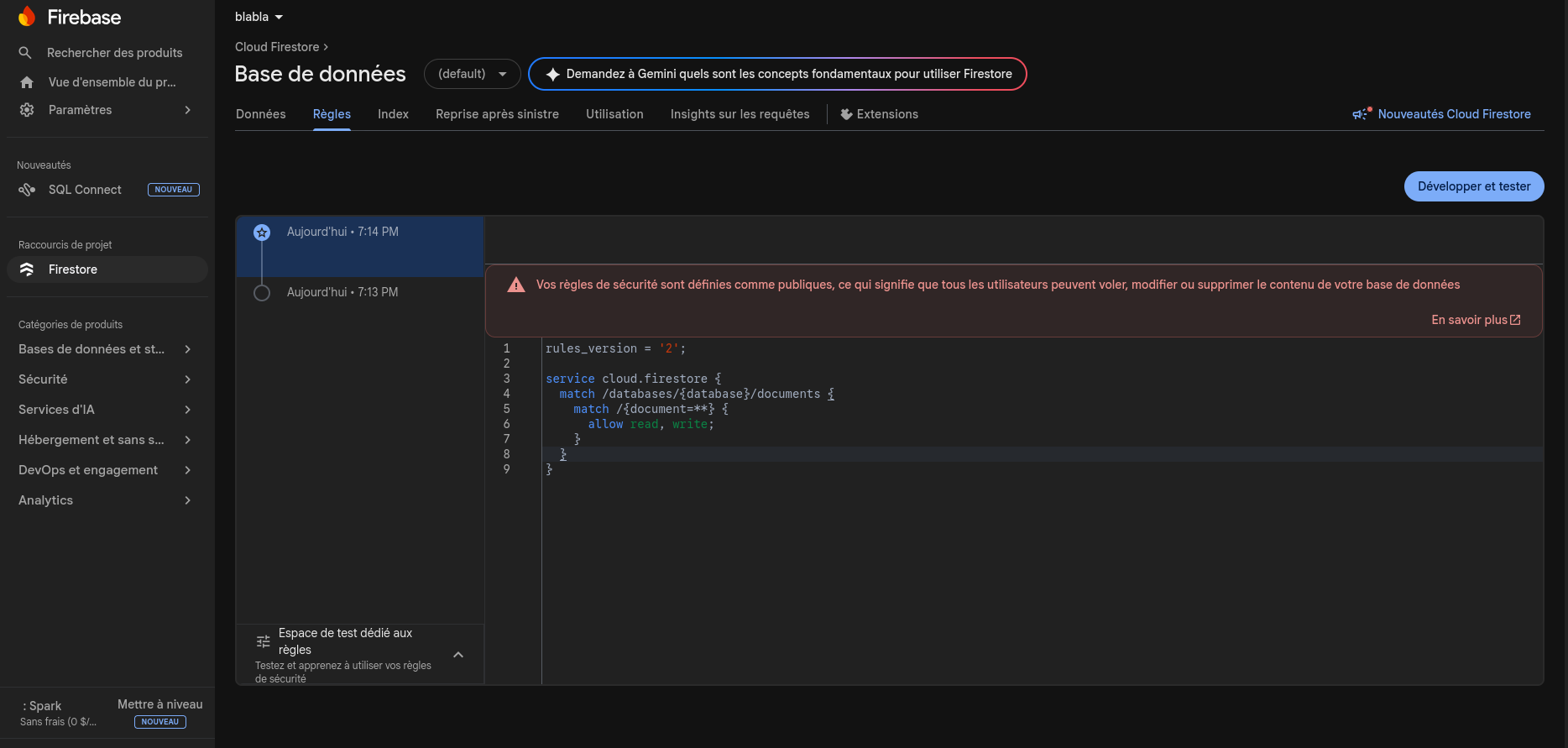
Update Firestore security rules
Go to the Rules tab and replace the default content with:
rules_version = '2';

service cloud.firestore {
  match /databases/{database}/documents {
    match /{document=**} {
      allow read, write;
    }
  }
}
Click Publish.
Register a web app
In your Firebase project, go to Project settings > General. Scroll to Your apps and click the Web icon (</>).
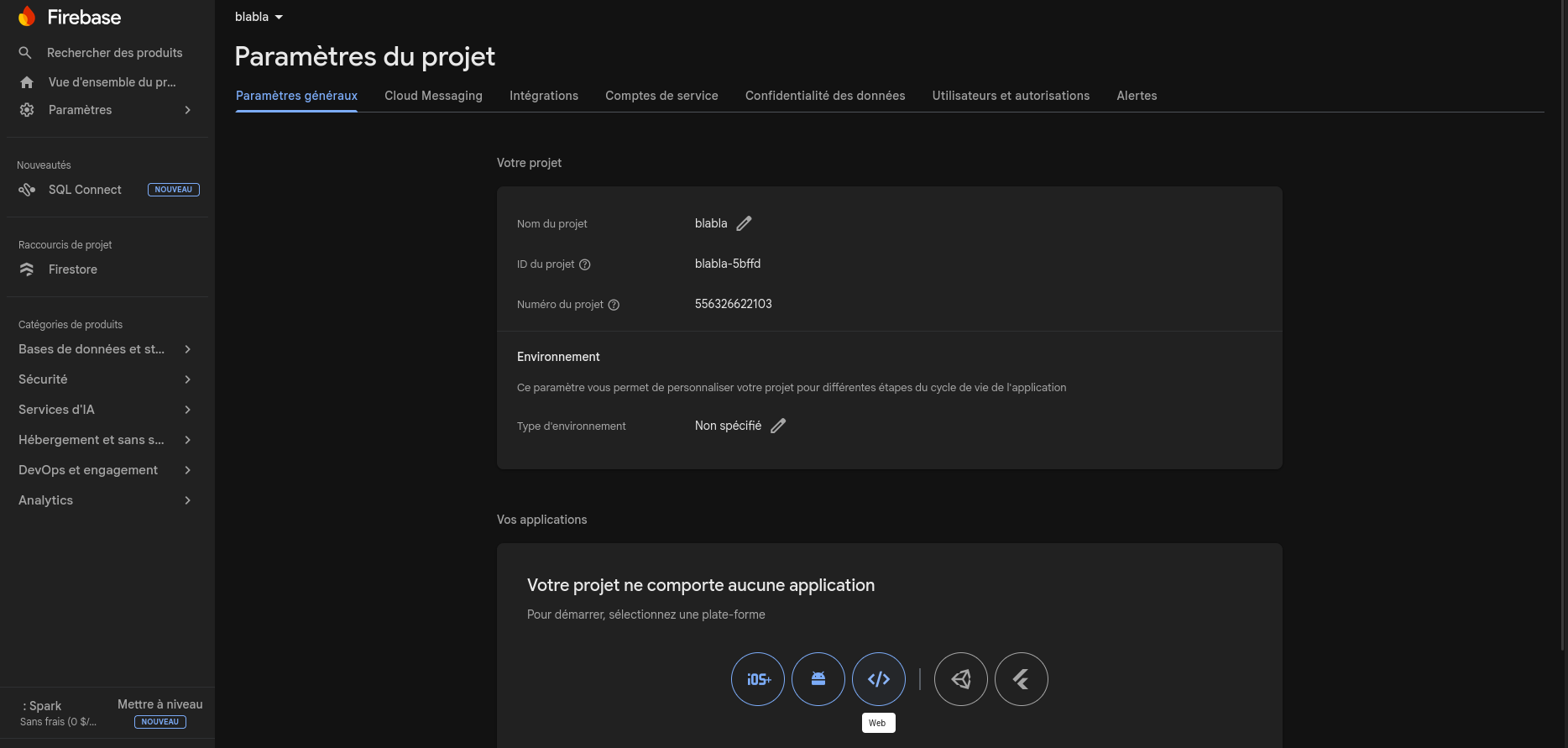
Give your app a name and click Register app. Firebase will show a config snippet:
const firebaseConfig = {
  apiKey: "AIzaSy...",
  authDomain: "your-project.firebaseapp.com",
  projectId: "your-project",
  storageBucket: "your-project.firebasestorage.app",
  messagingSenderId: "000000000000",
  appId: "1:000000000000:web:..."
};
Copy the apiKey and projectId values — you will need them in the app settings.
Development
Local development
Run the app locally with pnpm.
# Install dependencies
pnpm install

# Start the dev server
pnpm dev
Open http://localhost:3000 in your browser.
Release history
Changelog
All notable changes, newest first.
- Spotify: display currently playing track in tournament
- Spotify: connect and disconnect account from settings
- Highlight current blind step in structure table
- Light theme for tournament runner header
- Home page: display top 3 players by points
- Home page: display last 3 tournaments with status and date
- 'OG' logo theme
- Firebase integration (connection via API key)
- Language selection (FR / EN)
- Color and border radius selection
- Logo theme (default / One Piece)
- Player management and tournament history
- Blind structure creation and management
- Tournament creation and management
- Tournament runner with timer, eliminations and rebuys
- Automatic points calculation at tournament end
- Display earned points in player history
- Firebase request logging
- Logs page with preview in settings
- Sound alert when 10 seconds remain in a tournament step
- Alert sound setting with silent mode